Product UX Preview
What goElevait looks like
An early look at the Elevait Grants application — the onboarding, the grant workspace, your profile, and the trust surface that keeps you in control. Drawn directly from our build plan and brand system.
Illustrative concept · design mockups, not the final product · building through 2026
01
The application & core workflow
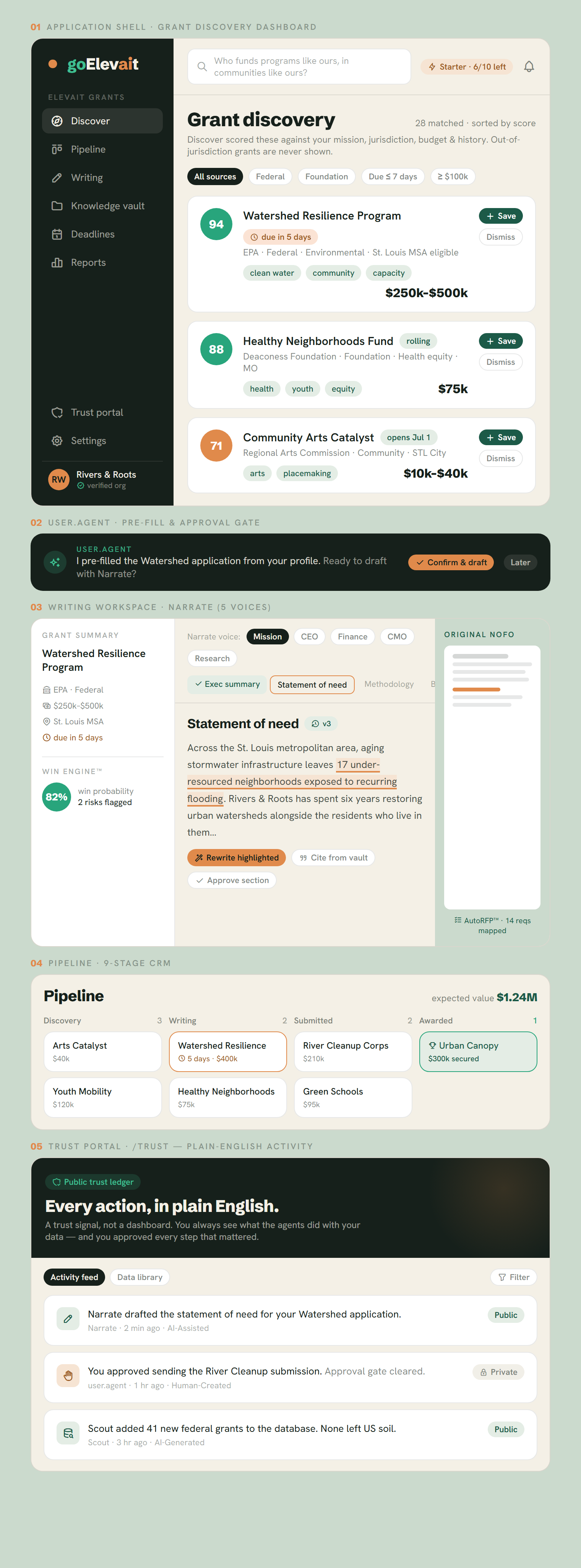
The goElevait shell built to host every app you'll use. Inside: a continuously-updated grant discovery feed scored against your mission, jurisdiction, budget and history; the Narrate writing workspace with five expert voices, section-by-section review, AutoRFP™ requirement mapping and Win Engine™ prediction; a nine-stage pipeline; and the Trust Portal. The dark bar is user.agent — it pre-fills your work and always asks before doing anything irreversible.
02
First-run onboarding, in three steps
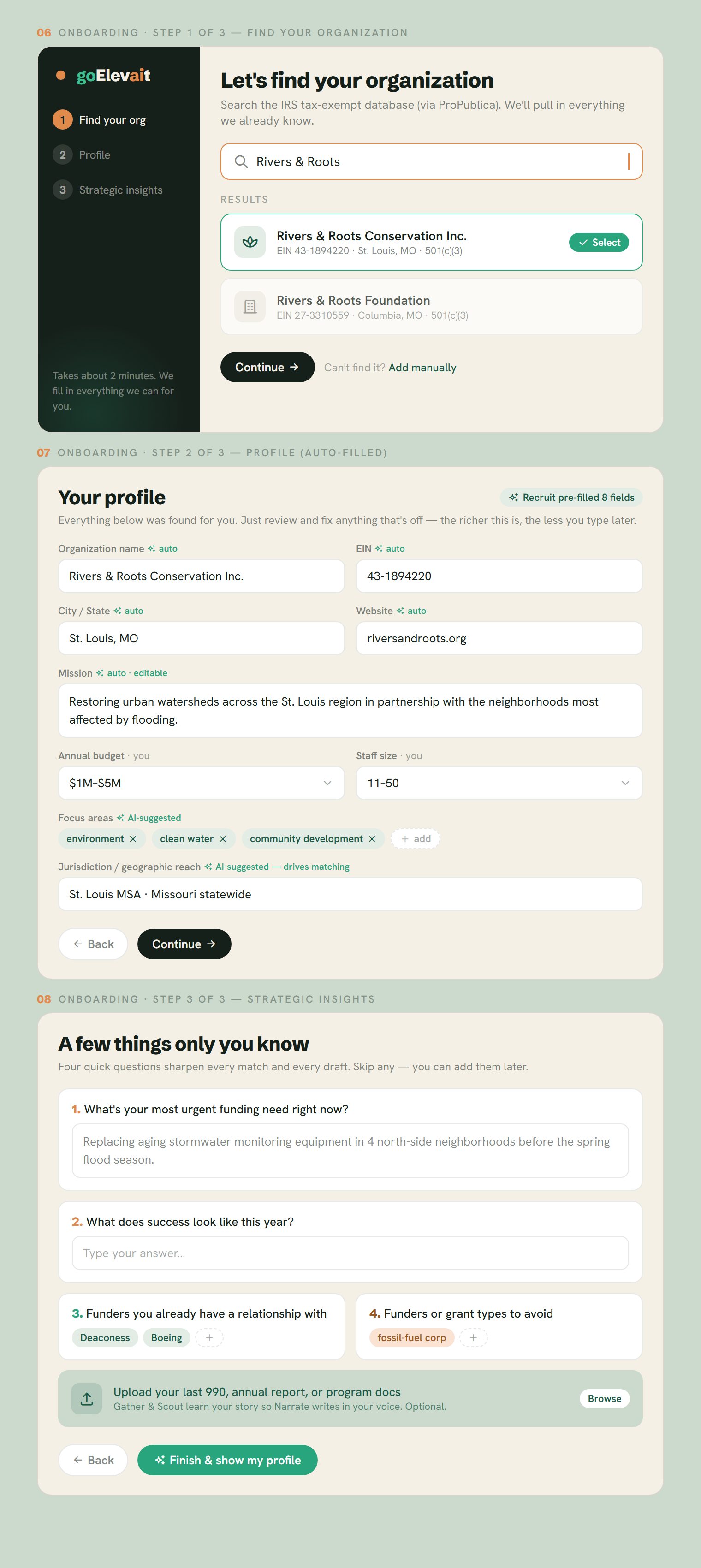
Find your organization in the IRS tax-exempt database, then watch most of your profile fill itself in — name, EIN, mission, focus areas and jurisdiction are pulled in for you to review, not type. Three quick strategic questions and an optional document upload teach the system your story, so the very first draft already sounds like you.
03
Organization profile — where onboarding lands
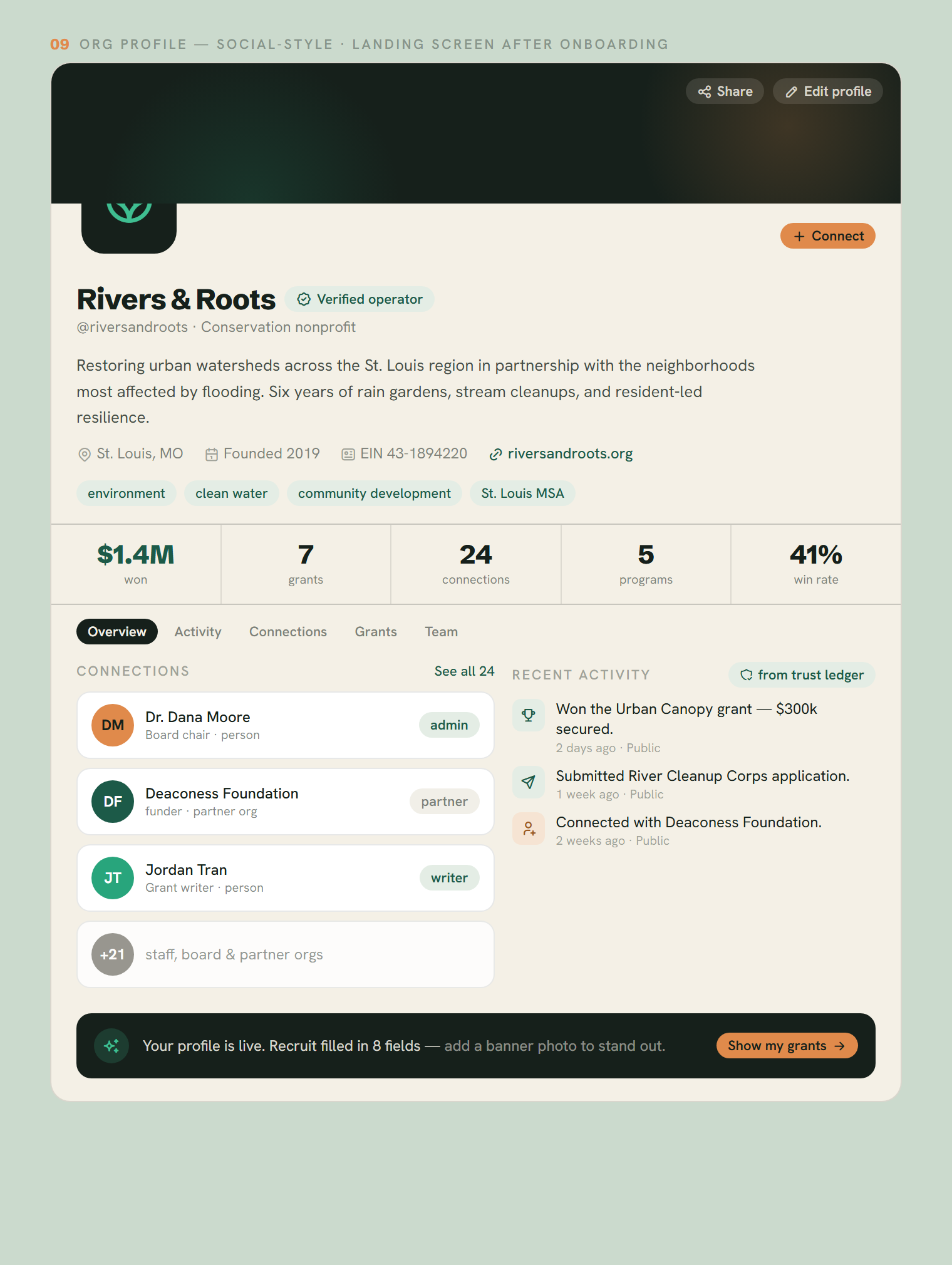
When setup finishes you arrive at your organization's profile, presented in a familiar social-media layout: a verified-operator badge, your mission, the stats that matter, and your connections — board, staff and partner funders. The activity stream is your public trust ledger, so the story of what your team and its agents have done is honest and visible by default.
04
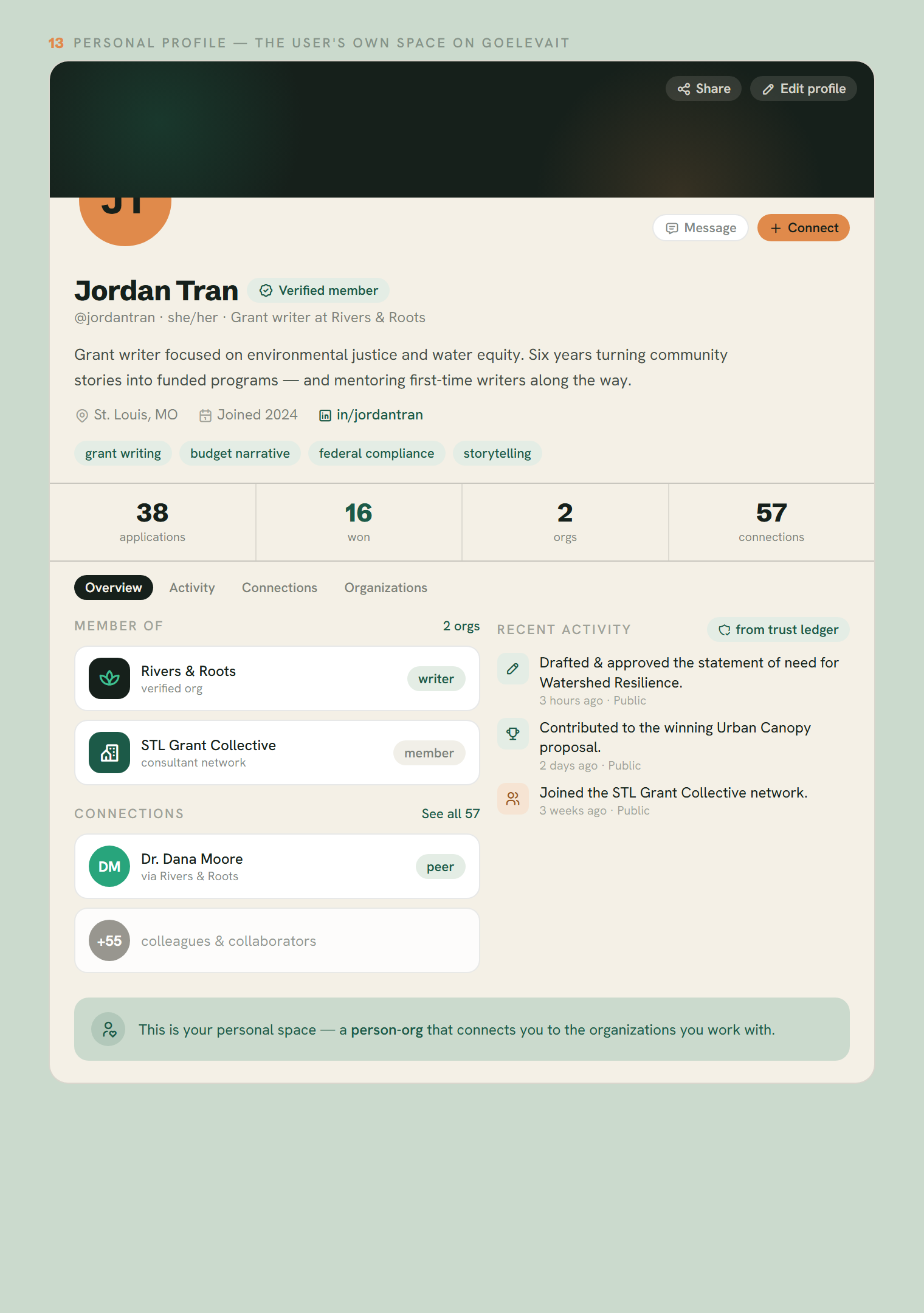
Personal profile — your own space
Every person has their own profile too — a "person-org" that connects you to the organizations you work with. It mirrors the org layout: avatar, bio, skills, the orgs you belong to and your role in each, your professional connections, and a public activity trail of the work you've contributed. It's how a grant writer, board member, or consultant carries their reputation across every organization on the platform.
05
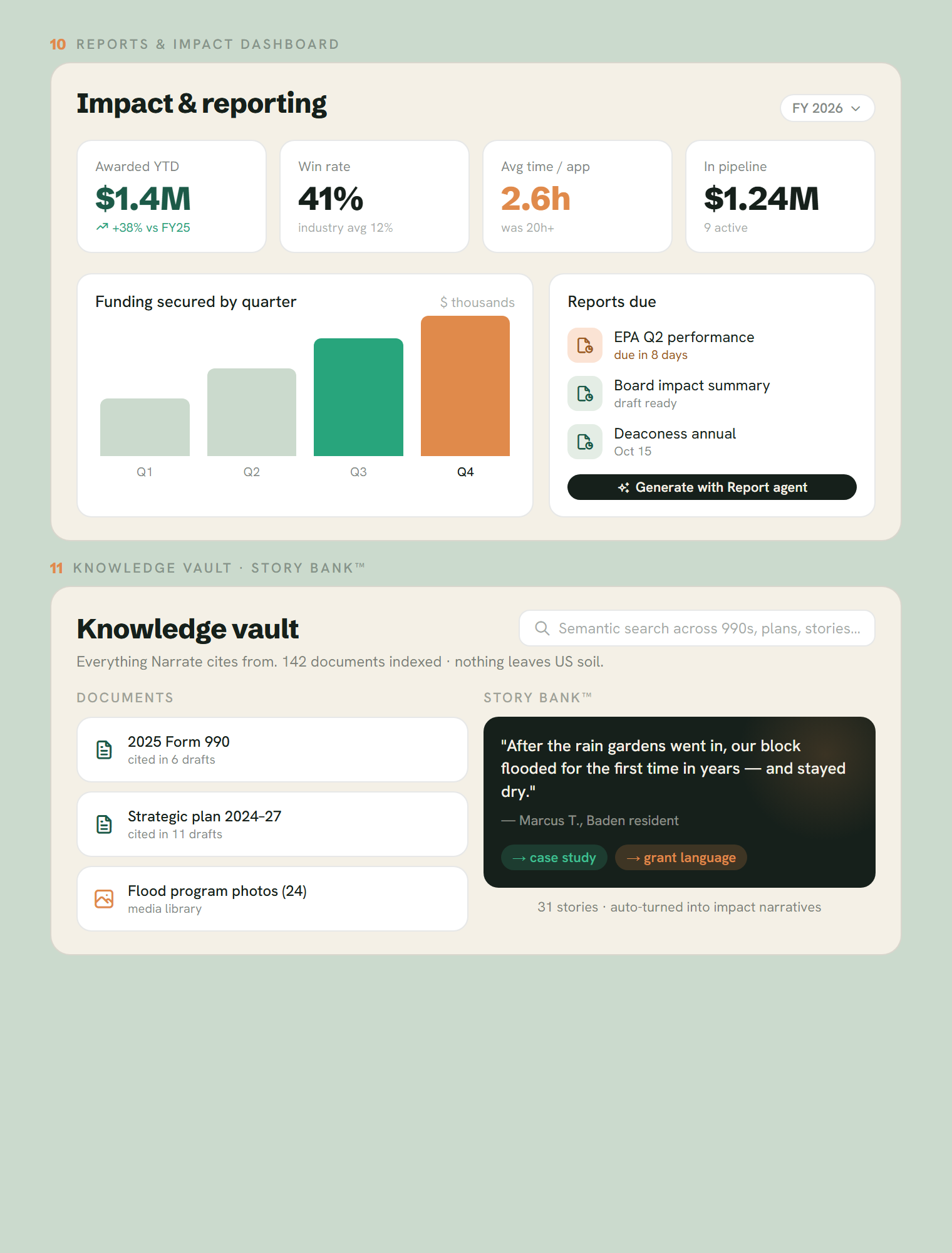
Reports, impact & the knowledge vault
After the award, the work doesn't stop. Track dollars secured, win rate and time saved; let the Report agent draft your funder and board reports. Underneath it all sits the Knowledge Vault — semantic search across your 990s, plans and media — and the Story Bank™, which turns a resident's quote into case-study and grant-ready language.
06
On your phone
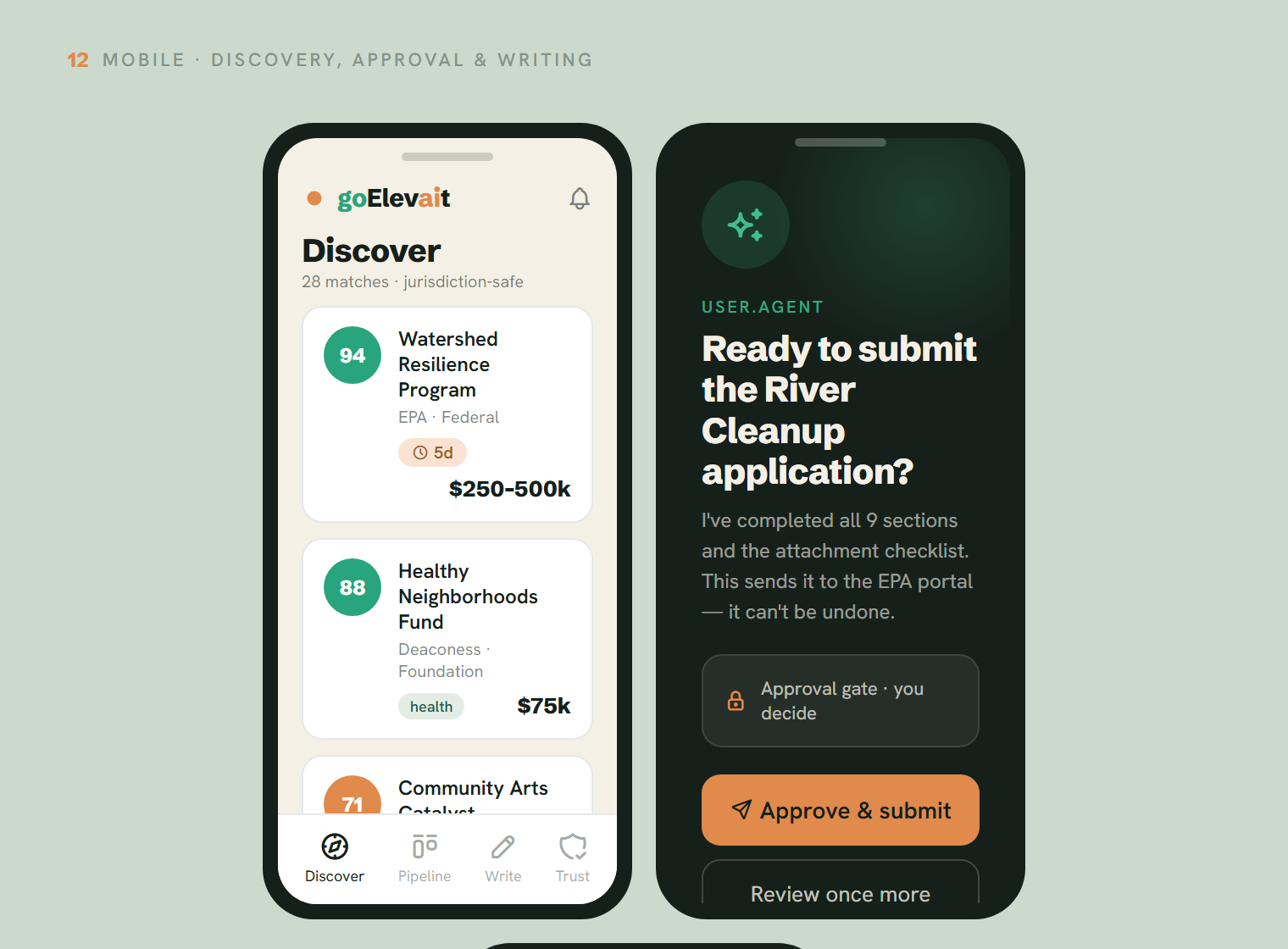
The same calm, capable experience in your pocket: scan scored opportunities, review and approve a submission with one clear tap — the approval gate before anything irreversible — and edit a section of your draft on the go.